

Your business gets questions at all hours: prices, opening times, what each service includes, whether there's availability on Friday. While you sleep, that person is messaging your competitor. That's the problem we set out to solve.
This post is the front door to UseFlowy: what it is, how you create a bot, and what it can actually do — no brochure promises.
What UseFlowy is
UseFlowy is a platform for building conversational bots that serve your customers automatically, on your website and on WhatsApp. No coding required.
The core idea: the bot isn't decoration — it actually serves. It answers questions using your own business information, takes real bookings in your system, and knows when a matter needs a human.
The three ways to create your bot
Not every business starts the same way, so there are three paths:
1. From your WordPress site (the short path). Install our plugin and the bot is generated automatically: it scans your site — your services, hours, and the way you write — and builds an assistant that already knows what you're about. Then you fine-tune it from the dashboard. If your business already has a WordPress site, this is the recommended path.
2. From a template for your industry. Spa, restaurant, online store. Templates come with each business's typical flows already wired — welcome, services, bookings — and you adjust them to your measure in minutes.
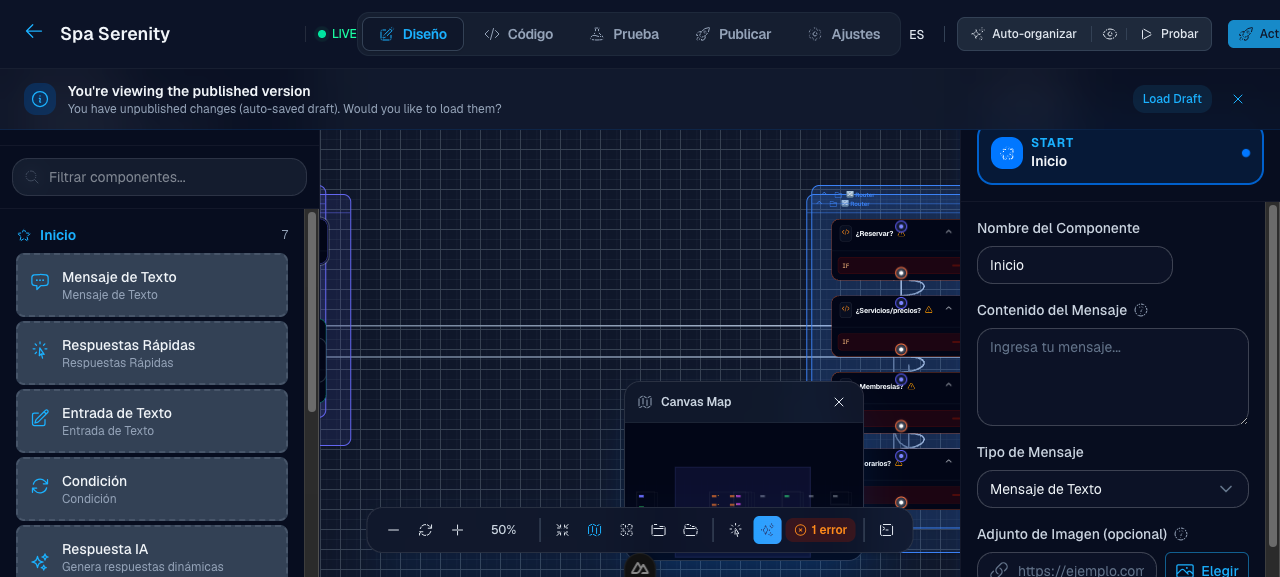
3. From scratch, with the visual builder. For when you want full control: drag nodes onto a canvas, connect the conversation the way you think it, and test every flow before publishing.
What it looks like inside
This is a bot in the visual builder — a real spa flow, with its welcome message, options menu, and per-area specialists:
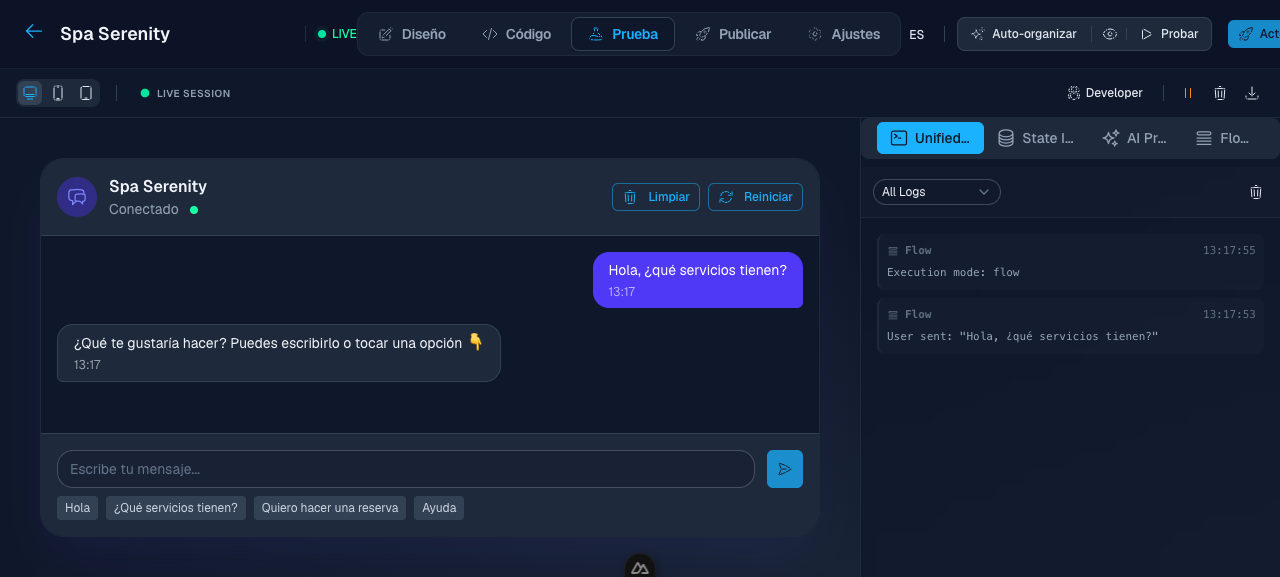
And this is how it talks. In the testing lab you try every flow before publishing — what you see is the real bot answering:
What the bot actually does
The features that separate a decorative bot from one that works:
- Answers with your business information. The bot learns from your own website content. When someone asks "what does the bridal package include?", it answers with what your site says — it doesn't make things up.
- Takes real bookings. If you use IziBooking or WooCommerce, the bot checks availability and creates the booking in your system — not in a parallel fantasy. With location, service, date and time.
- Serves where your customers are: the chat widget on your website and WhatsApp Business.
- Knows when to ask for help. When a conversation needs a person, it escalates to your team — with the full conversation context.
- Leaves a trace. Every conversation is recorded: what the bot answered, which tools it used, what could improve. It's not a black box.
How to start today
- Create your free account
- Choose your path: connect your WordPress site, start from a template, or open a blank builder
- Test the conversation in the lab until it sounds like your business
- Publish — the bot goes live on your website (and WhatsApp once you connect it)
Start free and have your bot serving this same week. If something doesn't fit, tell us what your business is and we'll point you to the right starting point.
Welcome — and may your bot never leave a "Hi, is anyone there?" unanswered again.